How to play Case Battles
Modes, player counts, lobby settings, and how Case Battles differ from opening cases alone.

What it is
In Case Battles, everyone opens the same case lineup. Who wins depends on the mode you pick, not just a single open. You build a match with its own win condition.
This is different from Loot Unboxing, where you open cases on your own.
How to play
- 1
Open Case Battles on FortBux.
- 2
Choose a player count (solo seats or team formats).
- 3
Pick a mode (or mix of modes) that sets the win condition.
- 4
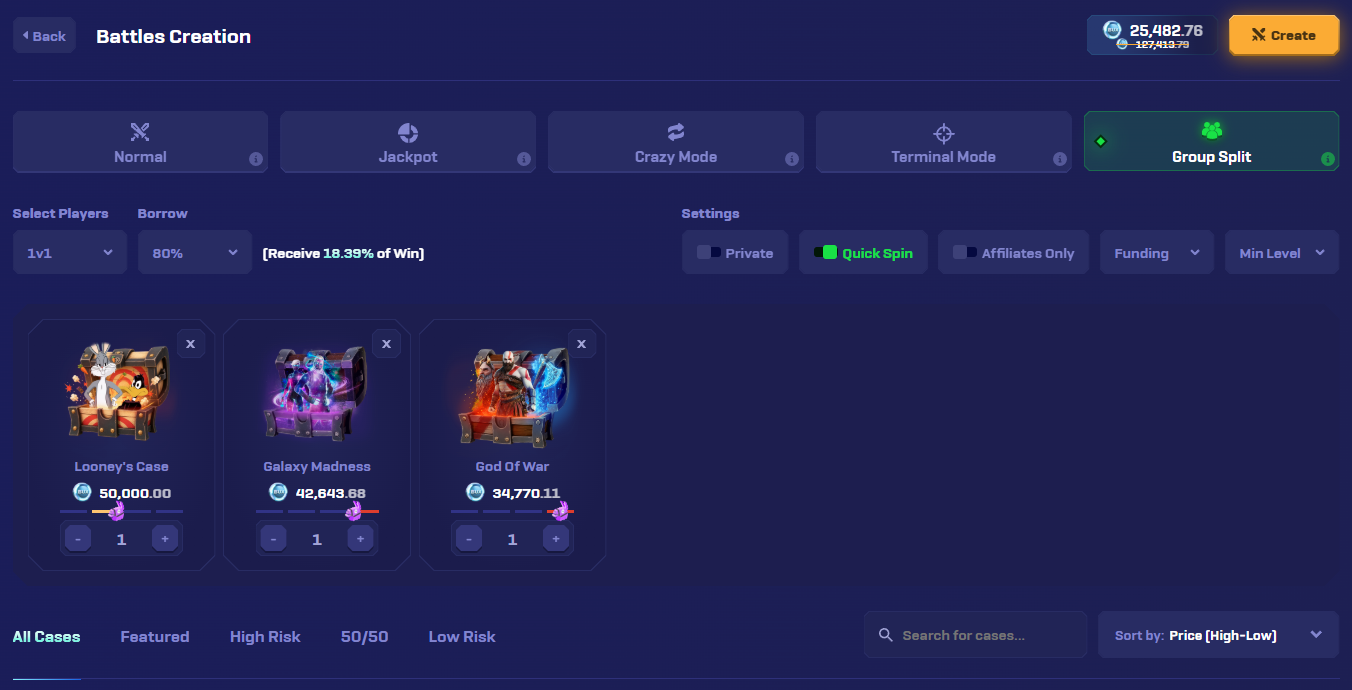
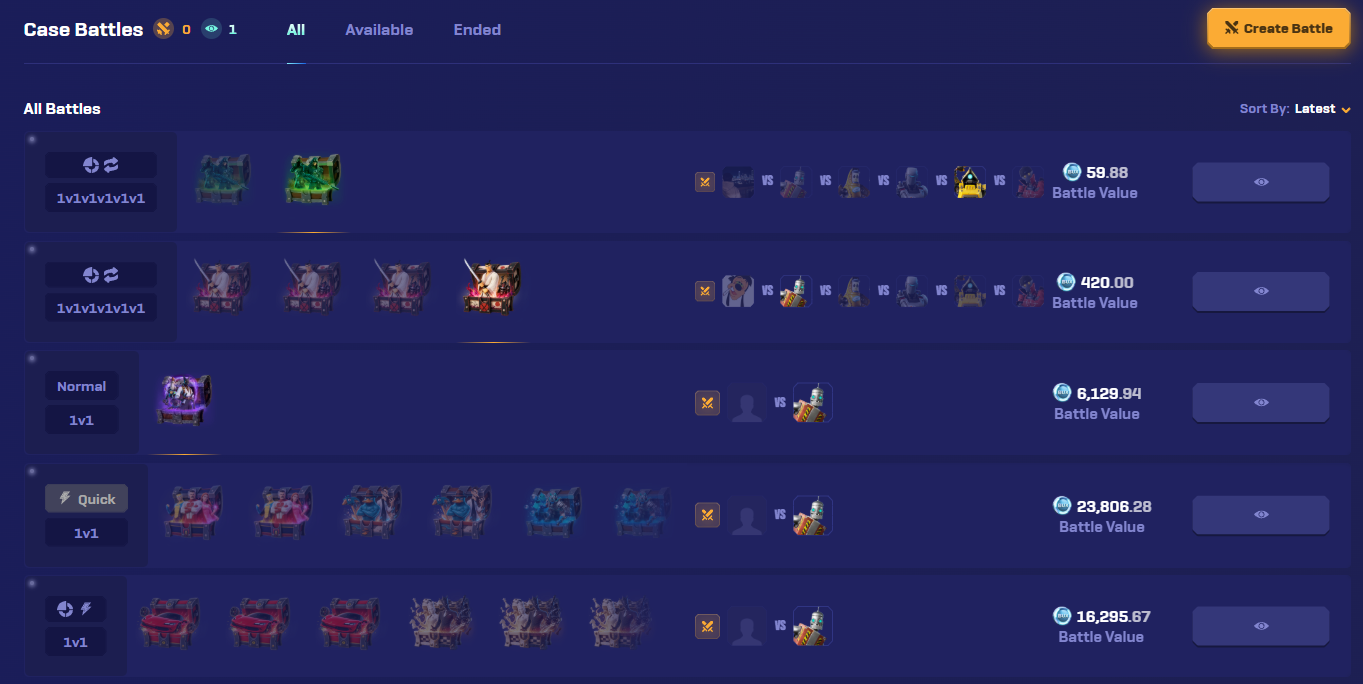
Add cases, tune lobby settings, then create the battle or join one that matches your budget.
- 5
Watch the opens. The mode rules decide the winner.
Select players
Choose the lobby shape before you create. Solo brackets put every seat against every other seat. Team formats score by side.
- 1v1Solo
- 1v1v1Solo
- 1v1v1v1v1v1Solo
- 2v2Team
- 2v2v2Team
- 3v3Team
Pick a win condition
Modes change what winning means. Each mode uses its own win condition.
- Normal
- Jackpot
- Crazy Mode
- Terminal Mode
- Group Split
- Normal: most value wins.
- Crazy: least value wins.
- Jackpot: opens play out, then a jackpot spin decides the winner (higher pull value means a bigger chance).
- Terminal: only the last case counts.
- Group Split: the haul is shared across everyone who joined.
Active cards show modes that are on together. Muted cards are not part of that mix.
Viable combinations
Jackpot, Crazy, and Terminal can mix freely
- Jackpot
- Crazy Mode
- Terminal Mode
Group Split can pair with Terminal
- Terminal Mode
- Group Split
Normal stands alone
- Normal
Cannot combine
Group Split cannot combine with Crazy or Jackpot
- Jackpot
- Crazy Mode
- Group Split
Normal cannot mix with other modes
- Normal
- Jackpot
- Crazy Mode
- Terminal Mode
- Group Split
Tune the lobby
When you create a battle, these settings shape who can join and how the match feels.
Example controls
Only people with the link can join.
Faster animations so the battle finishes sooner.
Only affiliates of the creator can join.
Fund 0% to 100% of the cost. At 100%, others join free.
Block seats below a level you set.
Lets you borrow against the battle (0% to 80%). If you win, you do not keep the loaned value, only what you earn above it.
Read the case risk bar
Each case shows a risk/reward bar. Check it before you lock the lineup.
The llama shows where this case sits on the risk/reward scale.
Create or join
Tips
- Read the mode badges on a lobby before you join.
- Start with cheaper case lineups while you learn the modes.
- Save battle details if something looks wrong before you contact support.
Fairness
Case Battles rounds can be checked with FortBux’s provably fair tools. See Provably fair games explained.
Guided walkthrough
Want the fullscreen version? Modes, combinations, and the full flow are covered here: