How to create a FortBux account
Sign up in a few minutes, then set up your profile in Settings.
Create your account
- 1
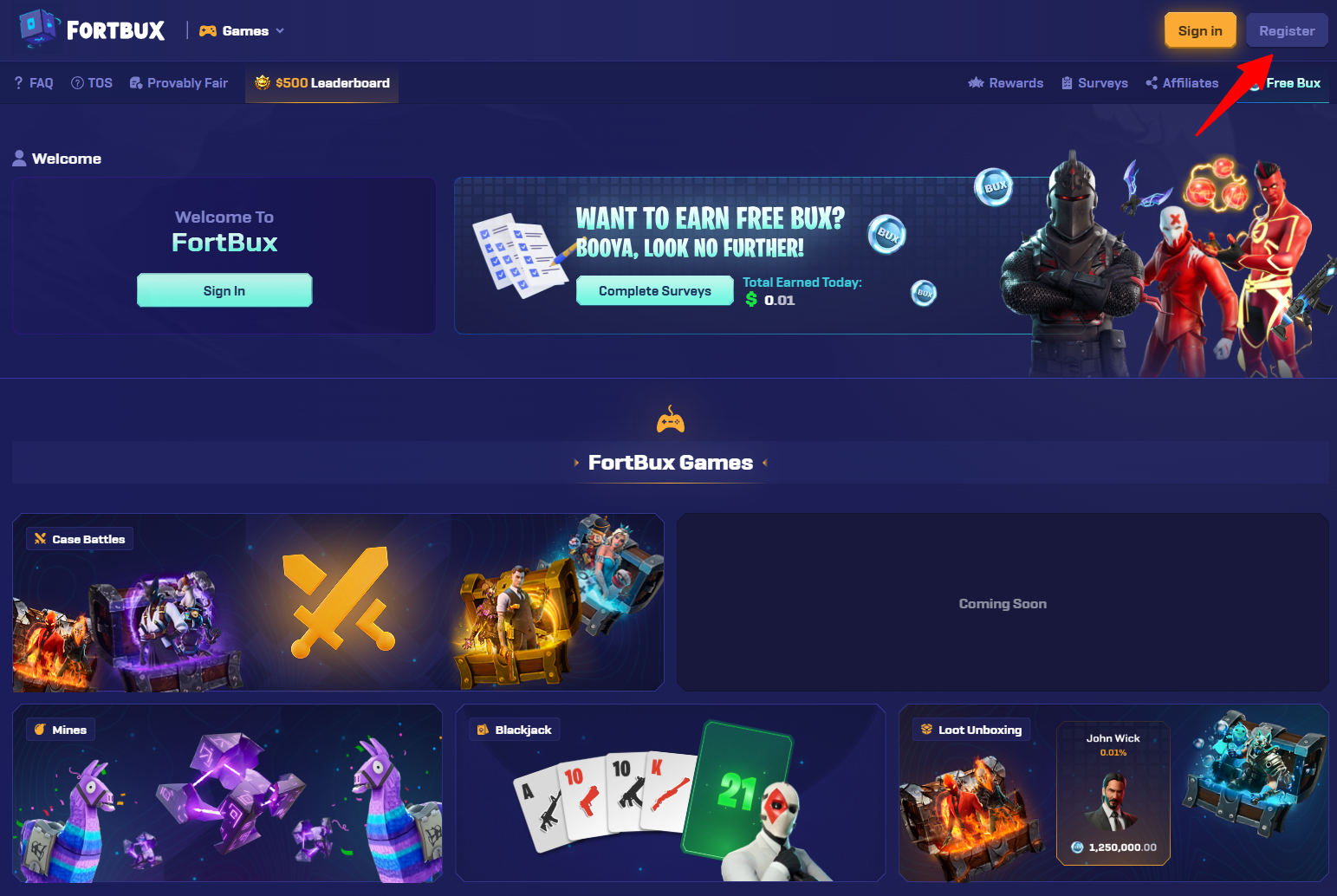
Open fortbux.com and click Register in the top right.
- 2
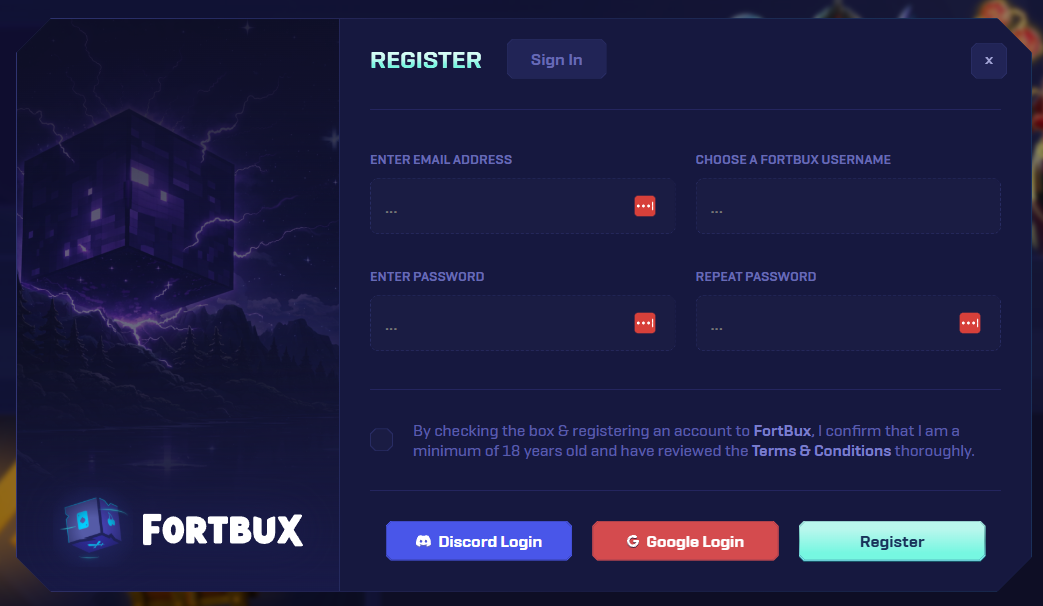
Fill in the register modal with your details and create the account.
- 3
Confirm any verification prompts if asked.
Set up your profile in Settings
After you sign up, open Settings to finish your profile. This is where you manage account links and preferences.
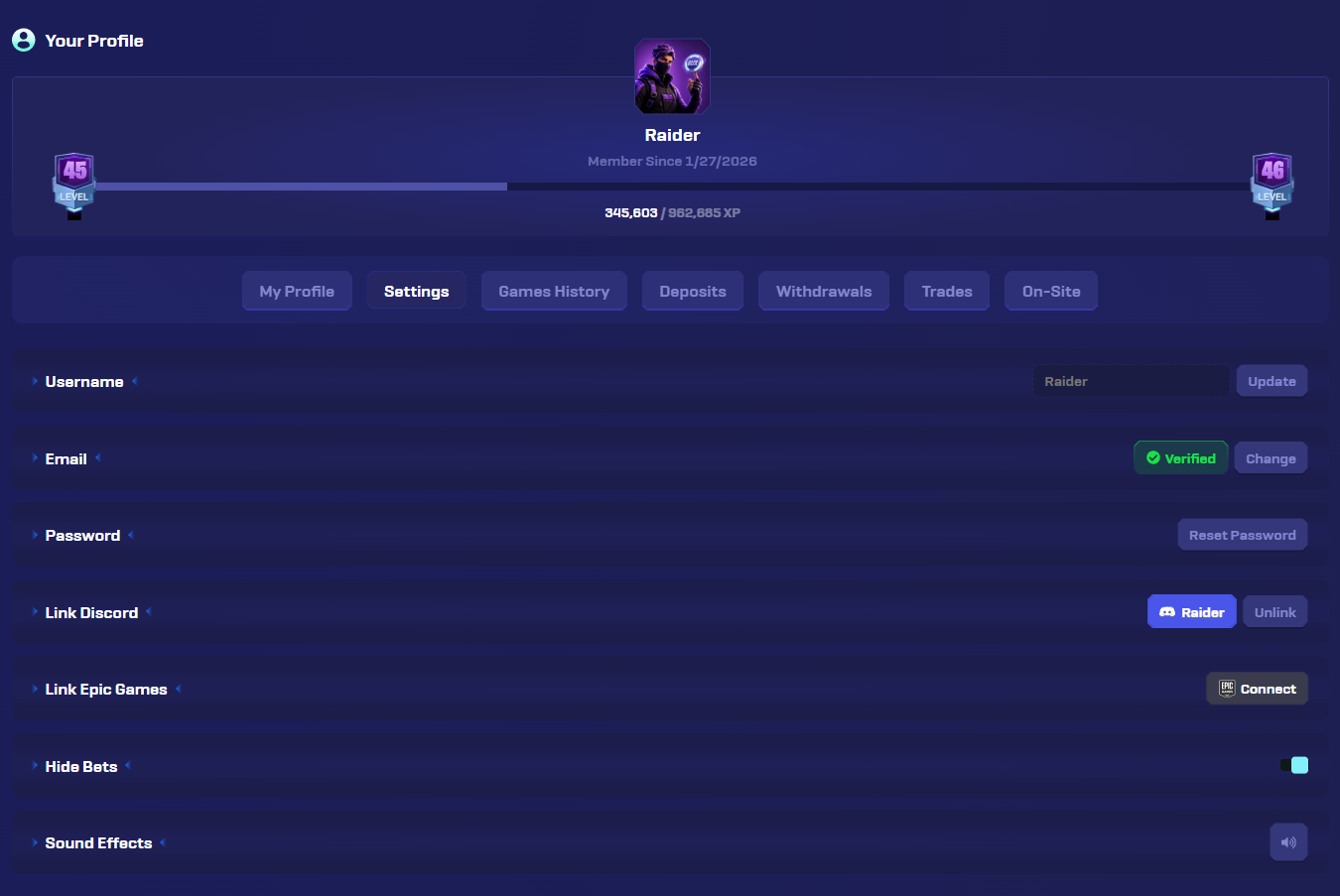
From Settings you can:
Link Discord
Connect Discord to your FortBux account
Connect Epic Games
Link Epic for skin and Fortnite features
Update username
Change the name shown on FortBux
Change email
Update the email on your account
Reset password
Set a new password for email login
Hide bets
Appear anonymous in the bet feed
Disable sound
Turn off sound effects on site
Tips
- Use an email you can access. Recovery and support go there.
- After signup, earn your first Bux with surveys before you deposit.
- If login fails, clear cookies for fortbux.com and try again.
Next
Read Earn your first Bux with surveys, or start the guided surveys tutorial: